
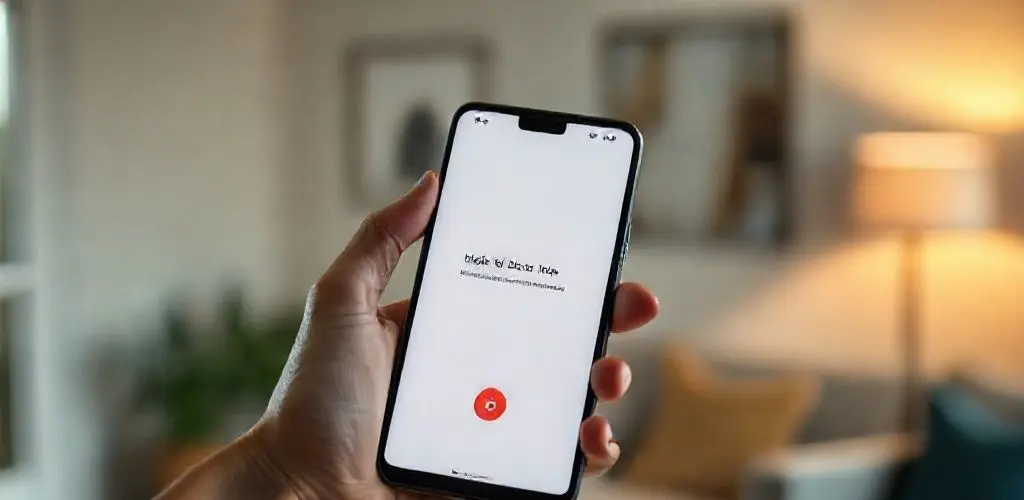
Pixel Power: 4 Smart Tricks for a Better Phone Life
I remember the day clearly.
It was 2018, and I was perpetually tethered to my phone, not by choice, but by the tyranny of the ringing.
Every incoming call felt like a gamble—was it a friend, a client, or another dreaded robocall about my car’s extended warranty?
My hand would hover, a familiar knot forming in my stomach.
Then came the Google Pixel 3, and with it, a feature that felt less like an upgrade and more like a liberation: call screening.
The first time I saw it in action, a cryptic number flashed on my screen.
Instead of answering, I tapped Screen call.
A calm, automated voice introduced itself to the caller, asking their name and purpose.
The live transcript scrolled before my eyes, revealing a persistent telemarketer.
A single tap ended the charade.
A tiny, almost imperceptible sigh of relief escaped me, but it was profoundly felt.
I do not recall the last time I answered an unnecessary call since that moment, and the thought of switching to a phone without this capability now feels like returning to the dark ages of digital communication.
It was not just about blocking spam; it was about reclaiming peace in my daily rhythm, a simple dignity restored.
In short: Google Pixel phones offer powerful, AI-driven Pixel features like Call Assist, Hold for Me, Call Notes, and Live Captions.
These Pixel tricks empower users to manage calls efficiently, enhance smartphone accessibility, and block unwanted spam, significantly improving daily communication and personal well-being.
Why This Matters Now
The digital landscape, for all its wonders, often feels like a constant barrage of unwanted interruptions.
Unnecessary phone calls, long hold times, and the scramble to remember key details from conversations erode our time and focus.
The ability to selectively engage with incoming communications is a necessity for maintaining digital well-being and productivity.
Google Pixel’s evolution directly addresses these everyday challenges, turning friction into seamless interactions.
The Pixel’s Evolving Call Management: Beyond Blocking
What started as a revolutionary way to block spam calls has blossomed into a comprehensive suite of call management tools.
While we often focus on blocking unwanted interactions, the more profound solution lies in empowering users to control all facets of their phone communications—from who gets through to how they spend their time on necessary calls.
This shifts the dynamic from passive reception to active, intelligent management, turning your Google Pixel smartphone into a true digital assistant.
A Familiar Frustration, Now Solved
Consider the countless minutes lost on hold with customer service.
We have all listened to endless hold music, our attention fractured.
This accumulates, impacting productivity and mental bandwidth.
The Pixel’s approach moves beyond simply identifying callers to actively assisting with the communication process, fundamentally changing the user experience.
Understanding the Pixel’s Feature Philosophy
The Google Pixel’s Call Assist advancements are fundamentally driven by enhancing user control, efficiency, and accessibility in everyday communication.
This design philosophy prioritizes the human experience: empowering users to command their time and attention with features like Call Screening and Hold for Me; simplifying information management through Call Notes to reduce cognitive load; ensuring accessibility with Live Captions for inclusive communication; and offering proactive assistance where the phone anticipates needs and acts, leveraging AI for daily life improvement.
Your Pixel Playbook: Smart Tricks for Daily Life
Unlocking your Google Pixel’s full potential means leveraging its intelligent features.
Here’s a playbook for your daily communication strategy:
- Embrace Call Assist: Make this your default.
Utilize manual Call Screening to see live transcripts for unknown numbers or automatic screening to let your phone handle obvious spam, drastically reducing unwanted interruptions.
- Activate Hold for Me: When placed on hold with customer service, tap the Hold for Me button.
Your Pixel will wait, notifying you when a human picks up, freeing your attention for other tasks.
- Explore Call Notes (Pixel 9 and Newer): For compatible devices, activate Call Notes for important conversations.
Get a concise summary of key information, useful for appointments or meeting takeaways.
- Utilize Live Captions: If you prefer texting or need an accessibility boost, turn on Live Captions.
It converts incoming speech to text and allows you to type responses the caller hears as spoken words, bridging communication gaps.
Risks, Trade-offs, and Ethical Considerations
While Pixel’s advanced features offer immense convenience, consider ethical implications and potential trade-offs.
The primary concern is privacy and data usage, especially with Pixel features like Call Notes summarizing calls.
Mitigation Guidance
Google often processes audio on-device; verify privacy settings to understand when data leaves the device.
Consciously activate features like Call Notes or Live Captions only when utility is clear.
Recognize AI’s fallibility: cross-reference critical information, relying on technology as an aid, not a definitive record, to avoid miscommunication.
Tools, Metrics, and Cadence
These Google Pixel features are integrated directly into your phone’s operating system.
To gauge their impact, consider these key performance indicators: track unanswered spam calls, estimate time saved on hold, observe Call Note activation frequency, note Live Captions usage, and assess overall call efficiency.
Regularly review your usage and Phone app settings (under Call Assist or accessibility) monthly to ensure optimal configuration for evolving needs.
Conclusion
That old knot of anxiety, once a constant companion before answering the phone, has long since dissolved.
My Pixel, with its intelligent Call Assist features, has truly become more than just a device; it is an invisible aide, silently working to preserve my peace and focus.
From the early days of blocking relentless robocalls to the quiet dignity of letting my phone wait on hold for me, these advancements have reshaped my relationship with digital communication.
It is a testament to how thoughtful technology, when designed with human experience at its core, can genuinely enhance our daily lives.
These are not just mere tricks; they are powerful tools for reclaiming your time, your sanity, and your control in a noisy digital world.
Embrace the full power of your Google Pixel; your peace of mind will thank you.